Did you just get this error while trying to run your app in Xcode?…

The fix is fairly simple. Simply launch iTunes, make sure the device is plugged in, and synchronize. The error should be gone by now.
Told you, it was a quick fix!
Did you just get this error while trying to run your app in Xcode?…
The fix is fairly simple. Simply launch iTunes, make sure the device is plugged in, and synchronize. The error should be gone by now.
Told you, it was a quick fix!
This task is quite straightforward. First, import the following headers:
#import <mach/mach.h>
#import <mach/mach_host.h>
Now what?. Simple… use this method:
-(void)printMemoryUsage
{
    mach_port_t host_port;
    mach_msg_type_number_t host_size;
    vm_size_t pagesize;

    host_port = mach_host_self();
    host_size = sizeof(vm_statistics_data_t) / sizeof(integer_t);
    host_page_size(host_port, &pagesize);

    vm_statistics_data_t vm_stat;

    if (host_statistics(host_port, HOST_VM_INFO, (host_info_t)&vm_stat, &host_size) != KERN_SUCCESS)
    {
        NSLog(@"Failed to fetch vm statistics");
    }

    /* Stats in bytes */
    natural_t mem_used = (vm_stat.active_count +
                          vm_stat.inactive_count +
                          vm_stat.wire_count) * pagesize;
    natural_t mem_free = vm_stat.free_count * pagesize;
    natural_t mem_total = mem_used + mem_free;

    NSLog(@"used: %u free: %u total: %u", mem_used, mem_free, mem_total);
}
Credits: This is a snippet taken from this Stackoverflow question.
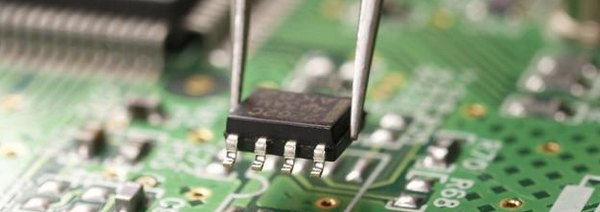
Intel hardware has been always regarded as the ‘most stable’ piece of electronics you could buy. After all, they’re the ones building Intel Microprocessors, so they really know what they’re doing.
As everyone knows, iPads have been dooming PC’s sales for the last couple years, since their introduction in 2010. Early this week, Intel announced that by 2016 they’ll stop building their own branded motherboards.
So, it seems, desktop PCs already have its days numbered. Will tablet-pcs be able to fully replace them?. Of course not. We, developers, need processing power that far exceeds the capacity of ARM chips.
At least in the near future, the common ground prediction is that… final users will rely on tablets for their daily tasks, while developers and it-professionals will still use old fashiones computers.
What do you think?

From time to time, Apple’s Review Team, for whatever reason, allows Apps that clearly violate the AppStore guidelines.
This time, Gridlee managed to got in. It’s free, and it’s somewhere around 85 megabytes. You can expect it to be removed sooner rather than later… so my recommendation would be… go and get it!.
You can install any ROMs you might have already downloaded. Playing Choplifter on an iPad Retina isn’t hi-tech, but i’ve always said, old school games are the best. You don’t need complex 3d algorithms, shadows, or near-perfect water effects to have fun.
After all, it’s all about getting rid of the bad guys… right!?

Today, a new iPhone Jailbreak solution, has been announced to be already on its way. iOS 6.0 and 6.1 beta 4 have been both jailbroken, and the team is waiting for iOS 6.1 final release to launch the goodies!.
If you have a previous iOS version, and you still wanna jailbreak your device, you should head to this site. They have a nice archive of every JB solution that got released.
By the way, Jailbreaking an iOS device is completely legal. However, downloading illegal copies of iOS Apps is not cool, and we recommend you do not engage in those activities.
Support the developers..!!